Everyday Money Control With A UPI App For Safer Use
A upi app can make everyday money movement faster and easier by allowing users to send money, receive payments, scan QR codes, pay merchants, and manage small transactions from a mobile phone. It is commonly used for groceries, fuel, food orders, utility payments, local shops, and peer-to-peer transfers.
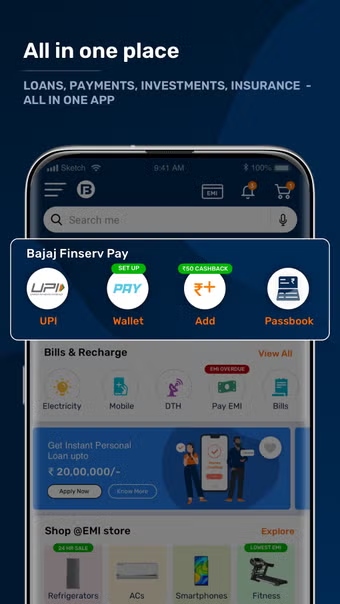
Along with payment convenience, some users also explore financial tools such as a loan app for short-term borrowing needs. However, digital money tools should be used carefully. Whether the user is making payments or reviewing credit options, the focus should remain on safety, spending control, and repayment discipline.
Start With Daily Payment Needs
Before choosing or using a payment app, users should understand what they need it for. Different users may use UPI for different reasons.
Common daily needs include:
- Paying local merchants
- Sending money to family
- Splitting bills with friends
- Paying rent or maintenance
- Recharging mobile numbers
- Paying electricity bills
- Paying water bills
- Ordering food
- Shopping online
- Tracking small expenses
When users know their main purpose, they can use the app more effectively.
Check App Safety First
UPI payments involve bank-linked transactions, so safety should be a top priority. Users should not treat payment apps casually because one mistake can lead to financial loss.
Important safety checks include:
- Secure Login
The app should require PIN, password, fingerprint, or device-level protection.
UPI PIN Privacy
Users should never share their UPI PIN with anyone.
Transaction Alerts
SMS, email, or app alerts help users track payments quickly.
Official Support
Users should contact only official support channels for payment issues.
Device Security
The phone should have screen lock and updated software.
Good payment habits are as important as app features.
Use QR Payments Carefully
QR payments are convenient, especially at shops and service counters. But users should check details before approving any payment.
Before scanning and paying, confirm:
- Merchant name
- Payment amount
- UPI ID
- Bank account selected
- Purpose of payment
- Final confirmation screen
- Transaction status
- Payment receipt
- Refund policy, if applicable
- Network stability
Users should never enter their UPI PIN to receive money. PIN entry is required only to send money.
Track Small Payments Regularly
Small payments can add up quickly. A UPI app can help users review daily spending, but users should still check their transaction history regularly.
A simple spending review may include:
- Food expenses
- Travel payments
- Shopping payments
- Bill payments
- Subscriptions
- Transfers to friends
- Merchant payments
- Refunds
- Failed transactions
- Bank balance changes
Tracking payments helps users avoid budget confusion.
Manage Failed And Pending Transactions
Sometimes payments may fail or remain pending because of network issues, bank delays, incorrect details, or app errors.
Users should follow a calm process:
- Check transaction status
- Avoid paying again immediately
- Wait for confirmation
- Save transaction reference ID
- Check bank statement
- Contact app support if needed
- Contact bank support if required
- Avoid sharing screenshots with strangers
- Track refund timeline
- Keep records for follow-up
Repeated payments without checking status can create duplicate payment problems.
Build A Monthly Digital Payment Routine
A clear payment routine can make money management easier. Users can plan recurring expenses and avoid last-minute stress.
A useful routine may include:
- List monthly bills
- Set payment reminders
- Keep bank balance ready
- Track due dates
- Review failed payments
- Save important receipts
- Check subscriptions
- Compare monthly spending
- Avoid unnecessary transfers
- Review security settings
This habit helps users stay organised.
Avoid Common UPI Mistakes
UPI is simple, but users can still make mistakes when they are in a hurry.
Common mistakes include:
- Sending money to the wrong UPI ID
- Entering the wrong amount
- Sharing UPI PIN
- Trusting unknown payment links
- Approving collect requests without checking
- Paying twice after a pending transaction
- Ignoring transaction alerts
- Using public Wi-Fi for payments
- Not checking merchant name
- Sharing bank details with unknown callers
Careful review before payment can prevent many issues.
Use Payment Records For Budgeting
UPI transaction history can support monthly budgeting. Users can review where their money is going and adjust spending habits.
Budget review points include:
- Total monthly UPI spending
- Highest spending category
- Frequent merchant payments
- Recurring bills
- Unplanned expenses
- Refunds received
- Failed payment records
- Bank account balance trend
- Cash vs digital spending
- Savings left after expenses
This helps users make better money decisions.
Conclusion
A upi app can simplify daily payments, merchant transactions, transfers, and bill management when used with care. Users should protect their UPI PIN, verify payment details, track transactions, and avoid approving unknown requests.
Digital payment habits should also support broader money planning. Users who manage payments carefully may also review savings options such as FD for stable financial planning, but every decision should be based on personal goals, risk comfort, and cash flow needs.